What the Research Actually Shows About AI Coding Assistant Productivity
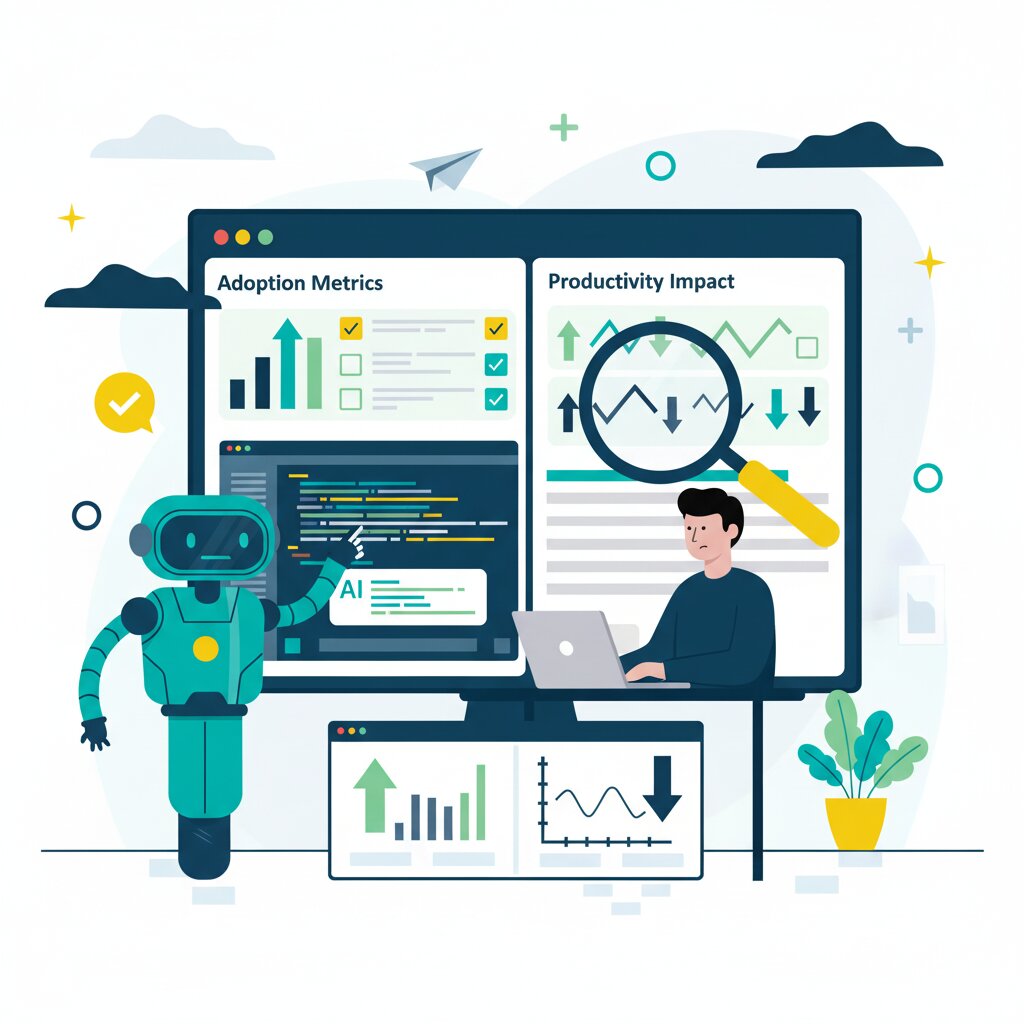
Eighty-four percent of developers are using AI coding assistants. Yet the METR randomised controlled trial found developers were actually 19% slower when using AI tools, despite believing they were 20% faster. This 39-point perception gap sits at the heart of what researchers now call the AI coding productivity paradox.
This guide synthesises the latest research from METR, Faros Engineering, Stack Overflow’s 2025 developer survey, and leading productivity platforms to help you understand what’s really happening when AI tools meet software development. You’ll find evidence-based answers to the productivity questions your board is asking, organised into five interconnected dimensions:
- Measurement and ROI: How to measure AI coding tool impact without falling for vendor hype
- Quality Trade-offs: The hidden costs in code quality, security, and technical debt
- Developer Trust: Why sentiment is declining despite rising adoption
- Organisational Bottlenecks: Where individual productivity gains disappear
- Skills Evolution: How developer competencies are shifting with AI tools
This guide provides decision-support for making evidence-based choices about AI tool adoption, realistic expectations, and organisational readiness.
What does the research actually show about AI coding assistant productivity?
The research reveals a fundamental disconnect: developers believe they’re 20% more productive with AI coding assistants, but the METR randomised controlled trial shows they’re actually 19% slower at completing tasks. This perception gap emerges because individual output metrics like lines of code or commits increase 20-40%, while organisational metrics like lead time or deployment frequency remain unchanged or worsen due to downstream bottlenecks in code review and quality assurance.
The METR study tested 16 experienced open source developers with 246 real tasks using Cursor Pro with Claude models. The results challenged vendor claims of 50-100% productivity gains. Individual developers completed 21% more tasks according to Faros research, yet review time increased 91% as teams generated 98% more pull requests. The productivity gains vanished into expanded review queues.
Stack Overflow’s 2025 survey confirms widespread adoption: 84% of developers are using or planning to use AI tools, up from 76% in 2024. Fifty-one percent use AI tools daily. Yet when asked about impact, only 16.3% reported AI made them significantly more productive, while 41.4% said it had little to no effect.
The gap between vendor promises and controlled research stems from what gets measured. Vendor studies track activity metrics that naturally inflate with AI usage: commits, pull requests, lines of code. Controlled studies like METR’s measure task completion time and find the overhead of prompting, waiting, reviewing, and debugging exceeds the coding speedup. As the study notes, “only 39% of Cursor generations were accepted,” highlighting friction in AI-assisted workflows.
This matters for investment decisions. If you’re evaluating AI coding tools for your team, vendor claims of doubled productivity won’t materialise. Research shows 5-15% realistic gains when properly measured, and only when your organisation isn’t already bottlenecked on code review, testing, or deployment capacity.
For a comprehensive framework on establishing baselines and calculating true ROI, see How to Measure AI Coding Tool ROI Without Falling for Vendor Hype. To understand where productivity gains disappear at the organisational level, explore Why Individual AI Productivity Gains Disappear at the Organisational Level.
What is the AI productivity paradox in software development?
The AI productivity paradox describes the phenomenon where AI coding tools increase individual developer output by 20-40% (more code, commits, and pull requests) while simultaneously failing to improve team velocity or delivery speed. The paradox intensifies as developers report feeling faster and more productive, yet organisational metrics like lead time, deployment frequency, and cycle time show no improvement or even degradation.
Similar productivity paradoxes occurred with ERP system rollouts and DevOps tool adoption. The mechanism is always the same: optimising one constraint in a system without addressing downstream bottlenecks simply shifts where the queue forms. Review, testing, approval, and deployment processes constrain velocity. When you generate code 40% faster but review capacity remains constant, cycle time extends.
The Faros Engineering research quantifies this. Teams with high AI adoption complete 21% more tasks and merge 98% more pull requests. Sounds productive. But PR review time increases 91%, and context switching jumps 47% as developers juggle more concurrent work items. DORA metrics—deployment frequency, lead time for changes, change failure rate—don’t improve despite all that coding activity.
There are three layers to the paradox. First, perception versus measurement: developers feel faster because typing less code creates an immediate dopamine hit, but controlled studies measuring full task completion reveal the slowdown. Second, individual versus team: one developer’s 40% output increase doesn’t translate to 40% faster feature delivery when their code sits in review queues. Third, output versus outcomes: shipping more code doesn’t mean shipping more value if that code requires extended debugging and accumulates technical debt.
This means tool adoption alone won’t move your velocity metrics. You need workflow redesign. The review process that worked when developers submitted 5 PRs per week breaks when they submit 10. Quality gates designed for human-paced coding get overwhelmed by AI-generated volume. The organisational operating model needs to evolve alongside tool adoption.
To understand the specific bottlenecks that absorb productivity gains, read Why Individual AI Productivity Gains Disappear at the Organisational Level. For establishing measurement frameworks that capture both individual and organisational productivity, see our comprehensive ROI guide.
Why do developers think they’re more productive with AI when data shows they’re not?
Developers genuinely feel faster because they complete individual coding tasks more quickly—the subjective experience of typing less and generating code faster is real. However, the METR study reveals that this speed comes at the cost of increased debugging time, more frequent errors, and longer validation cycles. Additionally, self-reported productivity metrics are notoriously unreliable. Developers focus on the visible coding phase while discounting the expanded time spent on review, debugging, and quality assurance.
The 39-point gap between perception and reality (20% perceived faster, 19% actually slower) has psychological roots. Security researcher Marcus Hutchins observed that “LLMs give the same feeling of achievement one would get from doing the work themselves, but without any of the heavy lifting.” The immediate feedback loop of code generation creates what researchers call “illusory productivity”—activity in the editor feels like progress even when it slows down actual delivery.
This perception gap has important implications. Stack Overflow’s 2025 survey shows positive sentiment toward AI tools dropped from 70%+ in 2023-24 to just 60% in 2025. Forty-six percent of developers distrust AI accuracy compared to only 33% who trust it. As developers gain experience with AI tools, the reality of debugging AI-generated code erodes initial enthusiasm.
The “visible work bias” compounds the problem. When developers assess their own productivity, they weight coding time heavily because that’s where AI’s impact feels strongest. The extra 20 minutes debugging a subtle hallucination, the additional review cycle because the PR was 154% larger than usual, the context switch to fix an integration issue AI didn’t catch—these get mentally discounted as “not AI’s fault” even though they’re direct consequences of AI-assisted development.
Training programmes need to calibrate expectations. If your rollout messaging emphasises “code faster,” developers will measure themselves on coding speed and feel productive even when their actual task completion slows down. Better to set expectations around “spend less time on boilerplate, more time on architecture and review” so developers self-assess on dimensions that correlate with actual productivity.
The trust dynamics and sentiment trends are explored thoroughly in Why Developer Trust in AI Coding Tools Is Declining Despite Rising Adoption. For understanding how to prevent over-reliance and maintain accurate self-assessment, see How AI Coding Assistants Are Changing What Developers Need to Know.
How do AI coding assistants affect code quality?
Research consistently shows AI-accelerated code has measurable quality issues: SonarSource reports a 9% increase in bugs in AI-accelerated codebases, 154% larger pull requests, and accelerated technical debt accumulation. Security analysis reveals 322% more privilege escalation vulnerabilities in AI-generated code. The quality degradation stems from both AI hallucinations (generating plausible but incorrect code) and developers accepting suggestions without sufficient validation, especially among less experienced team members.
The “almost right, but not quite” problem frustrates 66% of developers according to Stack Overflow’s survey. AI generates code that looks correct, passes basic tests, but contains subtle errors that emerge later. This is the “70% problem” researchers describe: AI handles scaffolding and boilerplate effectively (the easy 70%) but struggles with edge cases, error handling, and integration logic (the hard 30% that defines production quality).
SonarSource’s research on code quality degradation shows projects that over-rely on AI saw 41% more bugs and a 7.2% drop in system stability. The mechanism is straightforward: speed incentives reduce scrutiny. When a developer can generate 200 lines of code in 30 seconds, spending 10 minutes carefully reviewing it feels inefficient. But that’s exactly what’s needed. The acceptance rate of only 39% in the METR study suggests developers are catching many hallucinations, but 2-4% of AI suggestions are used without any changes—a risky proposition for production code.
Security vulnerabilities present particular concern. Analysis shows 76% fewer syntax errors in AI-generated code, which sounds positive until you realise deeper architectural flaws and security holes are masked by syntactically correct code. The 322% increase in privilege escalation vulnerabilities points to AI’s pattern-matching approach creating code that “works” functionally but violates security principles. Over-reliance risks creating a generation of developers who lack fundamental security awareness because AI handled implementation details.
The long-term technical debt accumulation worries many engineering leaders. AI-generated code tends to optimise for “works now” over “maintainable later.” Without explicit prompts for clean architecture and thoughtful design, AI produces code that ships faster but creates maintenance headaches. Code that’s difficult for humans to understand creates bottlenecks when issues arise, multiplying the downstream costs.
Organisations can mitigate quality issues through AI-aware review policies. SonarQube’s AI Code Assurance provides verification layers. Review processes need redesign for larger AI-generated PRs with specialised security checkpoints. Training reviewers on common patterns of AI-generated vulnerabilities helps catch issues before they reach production.
For a comprehensive analysis of the hidden quality costs of AI-generated code and how to manage them, including review policy frameworks and quality gates, see our detailed guide. To understand the verification and validation competencies developers need, see How AI Coding Assistants Are Changing What Developers Need to Know.
What organisational bottlenecks prevent AI productivity gains?
The primary bottleneck is code review—Faros research shows review times increased 91% as AI tools generated 98% more pull requests. This creates a throughput-review capacity mismatch: AI accelerates code generation but review capacity remains fixed, creating massive queues. Additional bottlenecks include testing capacity, deployment pipeline constraints, and context switching (up 47%).
The review bottleneck manifests in several ways. First, pure volume: if your team previously handled 50 PRs per week and now receives 99, review becomes the critical path even if individual reviews take the same time. Second, complexity: PRs are 154% larger on average with AI tools, requiring more thorough review. Third, quality concerns: when reviewers know code is AI-generated, they (correctly) increase scrutiny, extending review time per line of code.
LeadDev’s research points out: “Writing code was never the bottleneck.” In most software organisations, coding occupies perhaps 30% of a developer’s time. The remainder is spent on meetings, code review, debugging, testing, deployment coordination, and context switching. AI might cut that 30% in half, netting a 15% overall productivity gain—but only if the other 70% of activities don’t expand to consume the savings. In practice, they do.
Context switching increases 47% according to Faros, as developers initiate more concurrent work streams. With AI generating code quickly, developers start multiple features in parallel rather than completing one before starting the next. This feels efficient but destroys focus. Each context switch carries cognitive overhead. The new operating model where developers “initiate, unblock, and validate AI-generated contributions across multiple workstreams” demands skills most teams haven’t developed.
DORA metrics provide the proof. Teams with high AI adoption don’t show improved deployment frequency, lead time, or change failure rates. If anything, change failure rates increase due to quality issues. The correlation between AI usage and PR throughput is positive but modest—individual gains don’t aggregate to organisational improvements.
Workflow redesign solves this problem more effectively than better AI tools. Organisations that successfully capture value from AI tools invest as heavily in review automation, distributed review processes, and reviewer training as they do in coding assistants. They redesign testing infrastructure to handle increased throughput. They rethink approval processes designed for human-paced development.
Some practical approaches: implement review automation for common quality checks, distribute review load across more team members, train additional senior developers in effective review practices, use AI-powered review tools (ironic but effective), establish PR size limits even for AI-generated code, and create fast-track review processes for low-risk changes.
For detailed workflow redesign strategies and practical solutions to why individual AI productivity gains disappear at the organisational level, including review bottleneck solutions, see our comprehensive analysis. For understanding how quality issues compound the review burden, read our guide on managing AI-generated code quality.
How are developer skills evolving with AI coding tools?
Developer skills are shifting from raw code generation towards verification, supervision, and orchestration competencies. Research shows code comprehension is now valued 29% higher than code generation ability (71.9% vs 55.6%). Critical emerging skills include prompt engineering, context engineering, and the ability to validate and debug AI-generated code. This shift mirrors other professional fields where AI augmentation elevates human work to higher-level judgement and quality assurance roles.
The competency shift raises a question: can you direct, validate, and improve AI-generated code? This matters more than “can you code?” in AI-augmented development. The IBM watsonx research reveals that 71.9% of developers use AI for code comprehension versus 55.6% for code generation. Understanding existing code has always consumed 52-70% of developer time, and AI assistance with comprehension delivers more reliable value than assistance with generation.
Context engineering emerges as a strategic skill. This goes beyond prompt manipulation to include system design, data pipeline integration, and knowledge grounding. As Tobi Lutke and Andrew Karpathy popularised, “context” better captures the work than “prompt”—it’s about grounding the model in accurate, exhaustive information. Teams achieving 25-30% productivity gains use systematic context engineering: selective code indexing, semantic search, intelligent filtering.
Supervision and verification become core competencies. When AI generates 200 lines of code, developers need skills to quickly identify the 70% that’s solid scaffolding and the 30% that requires careful validation. This demands deep comprehension and pattern recognition. Junior developers face particular risk: higher adoption rates and acceptance of AI suggestions without sufficient validation experience. The concern isn’t AI replacing jobs, it’s junior developers failing to develop fundamental skills because AI handles too much implementation.
The career path implications are significant. What does “senior developer” mean when everyone can generate code quickly? The value shifts to architecture, code review, system design, cross-cutting concerns, and team leadership. Seniors adapt by focusing on these higher-level activities. But the risk is the pipeline: if junior developers don’t progress through hands-on implementation experience, where do future seniors come from?
Training programmes need evolution. Moving from surface-level usage (treating AI like autocomplete) to advanced usage (workflow integration, context engineering, validation frameworks) requires deliberate practice. Stack Overflow’s survey shows 75% of developers still consult humans when doubting AI, suggesting they recognise AI’s limitations but may not have frameworks for systematic validation.
The skill paradox: engineers report becoming “more full-stack” as AI removes language and framework barriers, yet risk atrophy in core competencies. The 68% of developers who expect employers to require AI proficiency need clarity on what “proficiency” means—surface-level tool usage or deep competency in AI-augmented development.
For detailed competency frameworks and training strategies, read How AI Coding Assistants Are Changing What Developers Need to Know. To understand the adoption dynamics and training approaches by experience level, see our guide on declining developer trust.
How do I measure the productivity impact of AI coding tools in my organisation?
Establish baselines before AI tool adoption using DORA metrics (deployment frequency, lead time, change failure rate, MTTR) and the SPACE framework (Satisfaction, Performance, Activity, Communication, Efficiency). Avoid relying solely on activity metrics (commits, PRs, lines of code) that create misleading pictures. Track both individual output and organisational outcomes, measuring adoption patterns, code quality metrics, and bottleneck shifts. Plan for 3-6 month evaluation periods to distinguish genuine productivity gains from initial novelty effects and workflow disruption.
Baseline establishment is the step most organisations skip. Without before-and-after data, you’re flying blind. DORA metrics provide the north star for organisational outcomes. If deployment frequency doesn’t improve, lead time doesn’t decrease, and change failure rate doesn’t decline, then individual productivity gains aren’t translating to business value regardless of what activity metrics show.
The SPACE framework adds developer-centric signals. Satisfaction matters because unhappy developers leave. Performance includes both individual output and quality. Activity captures commits and PRs but shouldn’t be used as the sole metric. Communication and collaboration patterns shift with AI tools—measuring these helps identify emerging bottlenecks. Efficiency encompasses the entire developer experience.
The DX Core 4 framework consolidates DORA, SPACE, and DevEx into four balanced dimensions: speed, effectiveness, quality, and business impact. Organisations like Booking.com quantified a 16% productivity lift from AI adoption using Core 4. Adyen achieved measurable improvements across half their teams in three months. The framework prevents the trap of optimising for one metric while degrading others.
Realistic expectations matter. Research shows 5-15% genuine gains when properly measured, not vendor-claimed 50-100%. Setting realistic targets prevents the disappointment and trust erosion that comes from unmet expectations. Some organisations see negative productivity in early months as teams adapt to new workflows, then gradual improvement as practices mature.
What to measure:
- Individual output: Tasks completed, code committed, PRs created (context, not the goal)
- Team velocity: Lead time, deployment frequency, cycle time (primary success metrics)
- Quality: Bug rates, security vulnerabilities, technical debt, PR size, review cycles
- Adoption: Usage rates, feature utilisation, resistance patterns
- Developer experience: Satisfaction, perceived productivity, trust in AI
Measurement platforms range from enterprise solutions (LinearB, Jellyfish, Faros) to DIY approaches combining Git analytics and survey tools for smaller organisations. The platform matters less than consistent measurement over time and comparing before-and-after states.
Timeline considerations: expect 2-4 weeks of productivity drop as developers learn tools, 2-3 months before patterns stabilise, 6 months before confident ROI assessment. Short-term measurements during learning curves produce misleading negative results. Long-term measurements without quality metrics might show activity gains masking value destruction.
You must establish baselines before AI tool adoption to enable before/after comparison. Track both individual output and organisational delivery to identify where productivity gains are being absorbed by bottlenecks.
For comprehensive measurement methodology and ROI calculation frameworks, including practical baseline establishment guidance, read our detailed guide. To understand what metrics reveal about workflow constraints at the organisational level, see our analysis of why individual gains disappear.
What’s the difference between individual productivity and organisational productivity with AI?
Individual productivity measures a single developer’s output (code written, tasks completed, commits made), which typically increases 20-40% with AI tools. Organisational productivity measures the entire team’s ability to deliver value (lead time, deployment frequency, features shipped), which typically shows no improvement or degradation. The gap emerges because individual gains get absorbed by bottlenecks in code review, testing, quality assurance, and deployment—activities that don’t accelerate with AI coding tools.
If your board approved AI tool spending based on promised productivity gains, they expect organisational metrics to improve. When deployment frequency stays flat despite expensive tools and training, explaining “individual developers are more productive, but it doesn’t show up in delivery speed” creates credibility problems.
Accelerating code generation without expanding review capacity is like widening one lane of a highway while leaving a bottleneck ahead. Traffic (PRs) backs up at the constraint.
Practical example: a 50-person engineering team adopts AI tools. Individual developers increase output 30%. Sounds like they can ship 30% more features. But review capacity didn’t increase. PRs are 154% larger. Review time per PR increases 91%. Review becomes the bottleneck. Lead time increases instead of decreasing. Developers sit waiting for review, context switching between multiple in-flight features, introducing integration bugs. Change failure rate increases. Velocity gains evaporate into organisational friction.
For system-level analysis and workflow solutions, read Why Individual AI Productivity Gains Disappear at the Organisational Level. For frameworks that capture both individual and organisational metrics, see our comprehensive ROI measurement guide.
GitHub Copilot vs Cursor vs Claude Code – which is more productive?
Productivity differences between tools are smaller than differences in how developers use them. GitHub Copilot dominates for autocomplete-style assistance, Cursor excels at codebase-wide context awareness, and Claude Code provides superior code comprehension and explanation. However, research shows that usage patterns (surface-level vs advanced, prompt engineering skills, context engineering) have greater impact on outcomes than tool selection. The most productive approach: choose the tool that fits your tech stack and workflow, then invest in training for effective use.
GitHub Copilot integrates directly with development environments, providing fast autocomplete and code suggestions. It’s effective for smaller, file-level tasks and fits naturally into existing workflows for teams already using GitHub. The ecosystem integration reduces friction. But Copilot struggles with larger codebases and multi-file changes where broader context matters.
Cursor offers comprehensive control through project-wide context, multi-file editing, and model flexibility. It supports multiple AI models (Claude, OpenAI) allowing teams to switch based on task requirements. Cursor suits teams handling large codebases and complex refactoring. The trade-off: it requires a custom IDE, and performance issues emerge in larger projects. It’s achieved $100M ARR, demonstrating strong commercial traction.
Claude Code, built on Anthropic’s Claude models (Sonnet and Opus), excels at code comprehension and explanation. The strong language understanding and multi-turn reasoning make it valuable for understanding existing code and exploring architectural decisions. It performs well in automation, scripting, and multi-environment workflows.
The Pragmatic Engineer 2025 survey found approximately 85% of respondents use at least one AI tool in their workflow. Tool choice matters less than usage sophistication. Surface-level usage (accepting suggestions without review) produces similar mediocre results across all tools. Advanced usage (systematic context engineering, careful validation, workflow integration) produces superior results regardless of tool.
Cost-benefit analysis varies by organisation size. Enterprise considerations include compliance requirements, security policies, and licence volume discounts. SMBs with 50-500 employees face different calculations: tool costs of $15-30 per developer per month, training investment, measurement infrastructure, versus realistic 5-15% productivity gains. The ROI depends more on organisational readiness than tool features.
Selection criteria should include: tech stack compatibility, IDE integration quality, team preferences and existing skills, compliance and privacy requirements, model flexibility needs, codebase size and complexity, training requirements, and vendor stability. The emerging category distinction matters: agentic AI tools (Cursor, Claude Code) that understand broader context versus autocomplete tools (Copilot, Tabnine) that focus on immediate suggestions.
All tools show similar productivity paradox patterns in research. The METR study used Cursor with Claude, but the 19% slowdown likely reflects AI-assisted development generally, not Cursor specifically. Vendor claims of dramatic productivity gains should be viewed sceptically regardless of which vendor makes them.
For tool selection criteria and adoption strategies, see Why Developer Trust in AI Coding Tools Is Declining Despite Rising Adoption. For training requirements to maximise tool effectiveness and evolving competencies, read our guide on changing developer skills.
Should I invest in AI coding assistants for my development team?
The decision depends on your specific bottlenecks and organisational readiness. If writing code is genuinely your constraint and you have capacity in code review, testing, and deployment, AI tools can provide 5-15% realistic productivity gains. However, if review queues are already long, quality issues are emerging, or your team lacks experience, AI tools may worsen existing problems. The investment makes sense when combined with workflow redesign, robust quality gates, and comprehensive training—not as a standalone point solution.
Assess current bottlenecks before adopting tools. If developers are sitting idle waiting for review, adding tools that generate more code won’t help. If testing infrastructure is overwhelmed, faster coding makes it worse. If quality issues are emerging, AI-generated code multiplies the problem. Conversely, if developers genuinely spend most of their time on boilerplate and scaffolding with spare review capacity, AI tools can help.
When AI tools help: teams with solid review processes and spare capacity, organisations where boilerplate code consumes significant developer time, environments with strong quality gates that can catch AI errors, teams with senior developers who can mentor effective AI usage, organisations ready to invest in training and measurement, contexts where exploration and prototyping drive value.
When to wait: review queues already longer than desired, quality issues emerging without AI, junior-heavy teams lacking validation skills, organisations without measurement infrastructure to track impact, environments where security or compliance concerns dominate, teams experiencing high turnover or organisational change.
ROI calculation needs realism. Tool costs: $15-30 per developer per month. Training investment: 10-20 hours per developer for effective usage. Measurement infrastructure: analytics tools or platform costs. Workflow redesign: review process changes, quality gate updates. Against realistic 5-15% productivity gains, not vendor-claimed 50-100%. The maths works for some organisations, not others.
Risk assessment includes quality degradation (9% more bugs, 322% more security vulnerabilities), technical debt accumulation, skill development concerns (junior developers becoming dependent), cultural resistance (46% distrust), and measurement challenges (perception-reality gap).
Organisational readiness questions: Do you have review capacity to handle 98% more PRs? Do you have quality processes to catch AI errors? Do you have training programmes for effective AI usage? Can you measure productivity before and after adoption? Can you redesign workflows around increased throughput? Do you have senior developers to mentor AI usage?
Alternative investments sometimes deliver better ROI. Improving review workflows through automation or process redesign, hiring senior developers to increase review capacity, investing in testing infrastructure, addressing deployment pipeline bottlenecks, or implementing quality tools might provide better return than AI coding assistants.
The phased approach reduces risk: pilot with a subset of your team (perhaps senior developers or one product team), measure rigorously using established baselines, iterate on training and process, then scale if results warrant. This prevents organisation-wide disruption if tools don’t deliver expected value.
For comprehensive ROI framework and decision criteria, including measurement methodology, read our detailed guide. For bottleneck assessment and workflow readiness, see our analysis of organisational constraints. For risk evaluation, explore The Hidden Quality Costs of AI Generated Code and How to Manage Them.
Resource Hub: AI Coding Assistant Productivity Library
Understanding the Paradox
What the Research Actually Shows About AI Coding Assistant Productivity (this pillar page) Comprehensive synthesis of METR, Faros, Stack Overflow, and industry research on the productivity paradox. Start here for the complete overview.
How to Measure AI Coding Tool ROI Without Falling for Vendor Hype Practical guide to establishing baselines, selecting metrics (DORA, SPACE, DX Core 4), and calculating realistic ROI. Essential for making evidence-based investment decisions.
Why Individual AI Productivity Gains Disappear at the Organisational Level Analysis of why individual productivity gains don’t translate to team velocity, with workflow redesign strategies for code review, testing, and deployment constraints.
Managing Quality and Trust
The Hidden Quality Costs of AI Generated Code and How to Manage Them Evidence-based analysis of code quality degradation (9% more bugs, 322% more security vulnerabilities), technical debt accumulation, and mitigation frameworks.
Why Developer Trust in AI Coding Tools Is Declining Despite Rising Adoption Trend analysis of declining trust (46% distrust despite 84% adoption), tool selection criteria, and training strategies to address perception vs reality gaps.
Building Capability
How AI Coding Assistants Are Changing What Developers Need to Know Framework for the competency shift from code generation to verification and supervision, with training strategies for prompt engineering, context engineering, and AI-assisted code validation.
FAQ Section
Are AI coding tools actually making developers more productive?
It depends on how productivity is measured. Individual developers complete coding tasks 20-40% faster with AI tools, but this output increase doesn’t translate to faster product delivery or team velocity. Controlled research shows that the time saved in coding gets absorbed by increased code review time (91% longer), quality assurance, and debugging. The METR study found developers were actually 19% slower at completing entire tasks despite feeling 20% more productive. For organisational productivity, the evidence suggests minimal to no improvement without significant workflow redesign.
Why isn’t AI speeding up my software development team?
Writing code is rarely the bottleneck in software delivery—review, testing, approval, and deployment processes typically constrain velocity. AI tools accelerate coding but create downstream bottlenecks: review queues balloon with 98% more pull requests, reviewers spend 91% longer validating AI-generated code, and context switching increases 47% as developers juggle more concurrent work. Until these downstream processes are redesigned to handle increased throughput, team velocity won’t improve regardless of individual coding speed gains. For workflow redesign strategies, see Why Individual AI Productivity Gains Disappear at the Organisational Level.
What should I measure to track AI coding assistant effectiveness?
Avoid relying solely on activity metrics (commits, pull requests, lines of code) that increase with AI tools but don’t reflect actual productivity. Instead, use DORA metrics (deployment frequency, lead time for changes, change failure rate, time to restore service) to measure organisational outcomes. The SPACE framework adds important dimensions like developer satisfaction and collaboration quality. Critically, establish baselines before AI tool adoption to enable before/after comparison. Track both individual output and organisational delivery to identify where productivity gains are being absorbed by bottlenecks. For detailed measurement methodology, see How to Measure AI Coding Tool ROI Without Falling for Vendor Hype.
How do experienced developers vs junior developers use AI coding tools differently?
Senior developers use AI tools more selectively, leveraging them for boilerplate code and exploration while maintaining higher scrutiny of suggestions. They’re more likely to use advanced features like context engineering and custom prompts. Junior developers show higher adoption rates and acceptance of AI suggestions, but face greater risks of skill degradation and quality issues. Research shows less experienced developers benefit from structured training in prompt engineering and validation techniques, while seniors need guidance on workflow integration and advanced features. The productivity gap between experience levels may widen if junior developers become dependent on AI without developing fundamental comprehension skills. For competency development strategies, see How AI Coding Assistants Are Changing What Developers Need to Know.
What’s better: optimising code generation or removing organisational bottlenecks?
Research strongly suggests that removing organisational bottlenecks yields far greater productivity gains than optimising code generation speed. The Faros study found that code review capacity is the primary constraint—addressing review workflows, approval processes, and quality gates has multiplicative impact. Since writing code was never the bottleneck, accelerating it without addressing downstream constraints simply shifts problems rather than solving them. Investment in review automation, quality infrastructure, and workflow redesign typically delivers better ROI than investing in newer or more powerful AI coding tools. For practical workflow solutions, read Why Individual AI Productivity Gains Disappear at the Organisational Level.
Can you explain why developers feel faster with AI but data shows they’re slower?
This perception gap stems from several psychological and measurement factors. Developers experience immediate positive feedback from faster code generation—the subjective feeling of typing less is real and rewarding. However, the METR study found that this speed comes at the cost of increased debugging time, more frequent errors, and longer validation cycles that developers discount when self-assessing productivity. Additionally, the visible “coding” phase feels more productive than the expanded time spent reviewing and debugging AI-generated code. Self-reported productivity metrics are notoriously unreliable—controlled studies using task completion times reveal the actual slowdown that developers don’t perceive. For training strategies that calibrate expectations, see Why Developer Trust in AI Coding Tools Is Declining Despite Rising Adoption.