
Software supply chain attacks have become the dominant enterprise threat vector, as explored in our comprehensive guide to supply chain security. The SolarWinds attack hit more than 18,000 organisations through one point of failure: the build pipeline. Attackers injected malicious code called Sunburst directly into the build process. Every customer who installed the update got compromised. It proved that build systems are the most consequential attack surface in modern software development.
SLSA (Supply-chain Levels for Software Artefacts, pronounced “salsa”) is the framework designed to prevent exactly this category of attack. It’s a structured maturity model from Level 0 (no guarantees) through Level 4 (two-party review with hermetic builds). Level 2? You can hit it in 2-4 weeks using existing hosted build services like GitHub Actions.
Governed by the OpenSSF and released as version 1.0 in April 2023, SLSA gives you a checklist of standards to prevent tampering and improve integrity in your software build processes. The steering committee includes Google, Chainguard, Intel, Datadog, and Microsoft.
SLSA targets threats to software supply chains that existing efforts like NIST SSDF don’t cover well. You get documentation, automated tooling, and in-depth guidelines to help you evaluate and communicate the security level of your software artefacts.
What Is SLSA and Why Does Build Integrity Matter?
Google proposed SLSA in 2021 as a direct response to the SolarWinds breach. It’s based on security practices Google developed internally and has been developed in public since 2021. The OpenSSF now stewards it with governance from a diverse industry-wide group of specialists.
Build integrity means ensuring artefacts are built from intended source code without modification during compilation, packaging, or distribution. When your CI/CD system produces a Docker image or binary, you want proof that it came from your repository’s commit hash and nothing else touched it along the way.
That’s what SLSA provides through provenance attestation and progressive hardening of your build infrastructure. It’s a maturity model, not a binary pass/fail. You start where you are and work your way up the levels as your security posture improves.
The framework’s goals are to prevent tampering during the build process, maintain the integrity of package distribution systems, and safeguard build environments. It addresses the trust gap between source code review and the build process that transforms code into deployable artefacts. You might trust your source code reviews, but how do you know the build process hasn’t been compromised?
SLSA is a framework, not a certification. There’s no official SLSA certification body. Organisations self-assess their level based on the published requirements. Practitioners can self-evaluate or audit others using SLSA’s language to communicate security status.
The steering committee includes companies that have been burned by supply chain attacks or have the scale to worry about them constantly. They’re building a framework that works for organisations from 50 to 50,000 people.
SLSA gives you a progressive path. You don’t need to implement everything at once. Start with transparency at Level 1, add verification at Level 2, harden your builds at Level 3, and eventually reach maximum assurance at Level 4 if your threat model justifies it.
What Are the Differences Between SLSA Levels 0 Through 4?
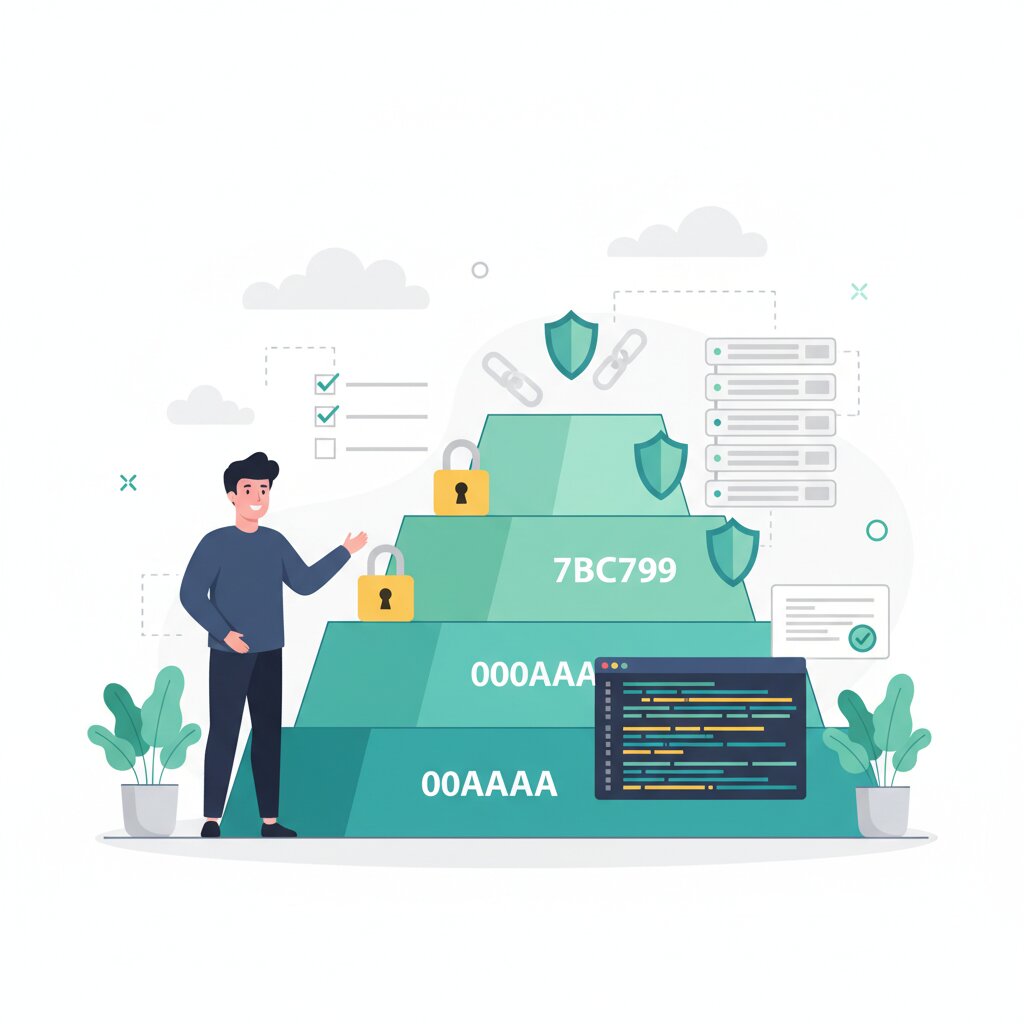
The levels progress from no guarantees through to maximum assurance with two-party review. Each level builds on the previous one, adding requirements that make tampering progressively harder. The SLSA version 1.0 release in April 2023 focuses primarily on the build track, with levels applied to source code, build systems, packaging, and dependencies.
Levels 0-1: Establishing Build Transparency
Level 0 is the baseline. No SLSA requirements implemented. Most organisations start here. You’re building software, but you have no formal proof about how it was built.
Level 1 introduces provenance: the who, what, and how of the build process. The provenance includes the digest of the output artefact, dependencies used during the build, and build metadata like source repository and commit hash. But it’s unsigned. That means it’s just metadata anyone could forge.
Level 1 gives you transparency but not verification. You can look at the provenance and see what happened, but you can’t prove it wasn’t tampered with. Attackers with access to artefact metadata can modify it without detection. Level 1 doesn’t verify that dependencies are secure, meaning attackers could inject malicious dependencies.
Level 1 is designed to promote secure coding and prevent common mistakes like distributing incorrect packages. It’s a starting point that establishes visibility without adding security guarantees.
Levels 2-3: Achieving Verifiable Integrity
Level 2 requires digitally signed provenance by the build platform and dedicated, protected infrastructure. The signature makes it harder to forge or tamper with artefact metadata. This is where most teams should aim for their first year.
The signed provenance makes it significantly harder to forge or tamper with artefact metadata without detection. GitHub Actions, Google Cloud Build, and GitLab CI already satisfy the “dedicated build infrastructure” requirement. If you’re using hosted CI/CD, you’re probably closer to Level 2 than you realise.
Level 2 is a practical target representing a significant step towards secure software supply chain. But it doesn’t address threats from insiders or prevent tampering during the build itself, only after. It also doesn’t provide reproducibility guarantees, meaning the same inputs aren’t guaranteed to produce the same outputs.
Level 3 adds hardened builds with better isolation. Each build run is independent and executed in an isolated environment not affected by other processes. Secrets are protected from user-defined steps. This needs more sophisticated platforms like Tekton or equivalent systems with proper build isolation.
Level 3 provides tamper-resistant builds protecting from unauthorised changes. It offers reproducible builds where identical inputs always produce the same outputs. Secrets used to sign provenance data are protected from user-defined build steps.
Level 4: Maximum Assurance Through Hermetic Builds
The proposed Level 4 will focus on hermetic builds, hardware attestation, reproducible builds, and two-party review. Hermetic builds are entirely self-contained and 100% reproducible with no external factors like network access. All dependencies must be declared explicitly.
Two-party review means no single person can introduce code into production. At least two individuals review and verifiably sign off on change proposals before incorporation. This would have stopped the XZ Utils backdoor, which was a three-year campaign by a single maintainer who introduced malicious code in February 2024.
The backdoor got CVE-2024-3094 with a CVSS score of 10.0, the highest possible rating. It could have been the most widespread and effective backdoor ever planted in any software product, according to computer scientist Alex Stamos. Had it remained undetected, it would have given its creators a master key to hundreds of millions of computers running SSH.
Level 4 is where you go when nation-state actors are in your threat model. For most teams, it’s aspirational rather than practical. Achieving Levels 3 and 4 can be resource-intensive and complex, requiring significant changes to CI/CD pipelines and build environments.
How Does SLSA Prevent Build System Compromises Like SolarWinds?
Attackers compromised the build processes at SolarWinds, which let them issue a malicious update that looked legitimate. Malicious code was injected into the Orion platform on February 20, 2020.
The suspected nation-state hackers identified as Nobelium by Microsoft gained access to networks, systems, and data of thousands of SolarWinds customers. More than 30,000 public and private organisations use the Orion network management system. More than 18,000 installed the malicious updates.
The threat actors gained unauthorised access to SolarWinds network in September 2019 and tested initial code injection in October 2019. SolarWinds unknowingly started sending out Orion software updates with hacked code on March 26, 2020.
SLSA Level 2 would have detected the tampering through signed provenance verification. When deployment pipelines verify provenance before accepting artefacts, injected code without valid signatures gets rejected. The malicious update would have failed verification because it wouldn’t match the expected provenance from the legitimate build system.
SLSA Level 3 would have prevented the injection entirely through hardened, isolated build environments. With proper isolation, attackers can’t modify the build process even if they compromise other parts of the infrastructure.
The XZ Utils backdoor represents a different attack vector. An account using the name Jia Tan introduced a malicious backdoor to the Linux build of the xz utility in February 2024. The backdoor gives an attacker who possesses a specific Ed448 private key remote code execution through OpenSSH on affected Linux systems.
The campaign to insert the backdoor was the culmination of approximately three years of effort between November 2021 and February 2024. Jia Tan gained the position of co-maintainer through apparent sock puppetry and pressure on the founder. The backdoor was notable for its sophistication and high operational security practiced over a long period while working to attain a position of trust.
American security researcher Dave Aitel suggested it fits the pattern attributable to APT29, an advanced persistent threat actor believed to be working on behalf of Russian Foreign Intelligence Service. Microsoft employee and PostgreSQL developer Andres Freund discovered the backdoor on March 29, 2024.
SLSA Level 3 protections and recursive SLSA audits provide some protection from XZ-style attacks. SLSA Build Level 4 would increase protection through hermetic builds and two-person review requirements that would prevent a single maintainer from introducing malicious code.
What Is the Relationship Between SLSA and SBOM?
SLSA and SBOM are complementary, not competing. SLSA answers “was this built correctly?” while SBOM answers “what is inside this?”
SLSA proves build integrity: that artefacts were built correctly from intended sources without tampering. SBOM provides component transparency: a complete inventory of what’s inside a software artefact. You need both.
A software bill of materials is like a “nutritional label” on packaged food products, clearly showing what’s inside a product. By maintaining an SBOM, organisations can identify security risks, manage third-party dependencies, and strengthen supply chain security.
The Biden Administration mandated SBOMs in May 2021 through executive order. Many organisations implemented SBOM first because of regulatory pressure. That’s fine. SBOM gives you visibility into your dependencies, which helps when vulnerabilities are disclosed.
But SBOM without SLSA means you have an inventory you can’t verify. Someone could tamper with your build, and your SBOM would still show the legitimate components. SLSA provenance can include SBOM as part of build attestation, creating a verified inventory you can trust.
Regulations like the U.S. Executive Order on Cybersecurity and NIST guidelines now mandate SBOM usage for software providers. Those who operate software can use SBOMs to quickly determine whether they are at potential risk of a newly discovered vulnerability.
If you’re starting fresh, implement SBOM first for compliance, then add SLSA for integrity. If you already have SBOM, SLSA is your next step. Our SBOM implementation roadmap covers how these complementary transparency frameworks work together. Integrate SBOM generation into CI/CD pipeline to automate creation as part of development, ensuring real-time visibility. Use SBOM data to continuously assess third-party risks, flagging components with known vulnerabilities.
How Can You Achieve SLSA Level 2 with Existing Infrastructure?
Level 2 is an achievable year-one goal for most teams. You don’t need to build custom infrastructure or hire a security team. The tooling already exists and most of it is free.
GitHub Actions, Google Cloud Build, or GitLab CI already satisfy the “dedicated build infrastructure” requirement. If you’re using hosted CI/CD, you’re already running builds on dedicated, protected infrastructure. That’s half of Level 2 done.
The other half is signed provenance. This is where Sigstore removes the traditional barrier of key management infrastructure. Keyless signing via OIDC means you don’t need to generate, store, rotate, or protect cryptographic keys. The signing uses ephemeral keys and OIDC identity tokens, and the signing event is recorded in Rekor, a public transparency log.
Tooling cost is minimal. GitHub Actions provides native SLSA provenance support at no additional charge. Sigstore is free and open source. The primary investment is engineering time: approximately 2-4 weeks for implementation and integration.
Most teams already using CI/CD are closer to Level 2 than they realise. You’re not rebuilding everything from scratch. You’re adding provenance generation and verification to your existing pipeline.
SLSA is designed with ease of adoption in mind. Moving up through Build track levels should feel minimally invasive. SLSA advocates for evaluating each software artefact independently without endorsing transitive trust.
Companies may use SLSA to assess their internal infrastructure, highlight security status, and identify gaps. Don’t aim for the highest level right away. Build incrementally to avoid disruption while achieving meaningful security improvements.
Not all organisations have the infrastructure or technical maturity to implement advanced security practices at Levels 3-4. Start where you are. Level 2 provides significant security value for most threat models.
What Are the Implementation Steps for SLSA Level 2?
The implementation follows a straightforward pattern: audit what you have, add provenance generation, add verification. For detailed guidance on implementing SLSA with GitHub Actions, see our comprehensive hardening guide that covers the hosted build platform for achieving SLSA Level 2.
Step 1: Audit Your Build Infrastructure
Confirm your builds run on hosted infrastructure like GitHub Actions, GitLab CI, or Google Cloud Build. Check that builds don’t run on developer laptops or unmanaged servers. Hosted infrastructure gives you the dedicated, protected environment Level 2 requires.
Identify all build pipelines producing deployable artefacts. Document your build process. What triggers builds? Where do artefacts get stored? What’s the deployment pipeline? You need this map before you add provenance.
Ensure build environment follows SLSA standards and is protected from unauthorised access. Use dedicated build infrastructure and avoid builds on developer workstations. Regularly audit and update build tools to prevent vulnerabilities.
Step 2: Generate and Sign Build Provenance
Add slsa-github-generator to your GitHub Actions workflows. This generates provenance attestations that include the output artefact digest, dependencies, and build metadata.
Configure provenance metadata including source repository, commit hash, and build parameters. Identify build artefacts and automatically generate, log, and distribute standardised provenance metadata.
Set up Sigstore cosign for keyless signing using OIDC identity tokens. The signing happens automatically as part of your build workflow. No key management required.
Sign provenance data, attestations, and artefacts with cryptographic signatures for integrity validation. Secure and centralise the build process ensuring auditability and tamper resistance.
Verify the provenance is being generated successfully. Check the workflow logs and confirm attestations are created and signed for each build. Standardise and document all build processes for auditability.
Step 3: Verify Provenance at Deployment
Add provenance verification to deployment pipelines. This is where SLSA provides security value. Generating provenance without verifying it defeats the purpose.
Reject artefacts without valid signed provenance. Make this a hard gate. If the signature doesn’t verify, the deployment fails. Verification must happen where deployment decisions are made, not just where builds run.
The common pitfall is not verifying provenance at deployment time. Teams implement generation because it’s technically interesting, then forget to enforce verification. That leaves you with transparency but no security.
Monitor the supply chain to detect inconsistencies. Before implementation, builds have unknown origin and no tamper detection. After implementation, builds have verified source and are tamper-evident.
How Do You Verify SLSA Provenance and Plan a Maturity Roadmap?
SLSA provenance verification uses Sigstore cosign to validate attestations. The verification checks the signature matches the expected identity and the provenance matches the artefact digest.
Use cosign verify-attestation to check provenance against expected values like source repo, builder identity, and build platform. Verification mechanics require checking certificate identity and OIDC issuer.
Verification should occur at every deployment gate. Before an image gets deployed to staging, verify it. Before it goes to production, verify it again. Treat unsigned or unverified artefacts as compromised.
All signatures are recorded in Rekor transparency log providing an immutable audit trail. Provenance includes builder ID, build type, invocation config source, and materials (dependencies).
Policy enforcement with tools like Kyverno can prevent deploying images without valid provenance at the cluster level. This gives you defence in depth. Even if someone bypasses your deployment pipeline, Kubernetes won’t run the artefact.
Monitor provenance generation success rates. You want 100% of builds generating valid signed provenance. Track verification failures separately. Failures might indicate attacks, or they might indicate configuration problems. Either way, you need to know about them.
Track SLSA compliance with monitoring alerts for images without provenance. Maturity indicators include percentage of artefacts with valid provenance, mean time to detect provenance failures, and verification coverage across deployment targets.
After you achieve Level 2, plan a 1-3 year progression to Level 3. Level 3 requires build isolation that platforms like Tekton provide. This is a bigger infrastructure change than Level 2, so you need time to plan, test, and migrate.
The timeline depends on existing infrastructure maturity, team expertise, and the number of build pipelines requiring migration. Level 3 requires hardened build platforms with regular audits and updates ensuring documentation authenticity. It requires automating validations and checks to prevent tampering.
Most teams should stay at Level 2 for at least a year while they mature their verification processes and build confidence in the system. Level 3 makes sense when you have the engineering resources to manage more complex infrastructure and your threat model justifies the investment.
Implementing SLSA will be a continual effort. Regularly review progress and watch for developments in specifications. Adapt security strategy to match the standards as they change to ensure software supply chain remains resistant to emerging threats.
SLSA provides the build integrity foundation for a complete supply chain security strategy. For a broader understanding of frameworks, practices, and tools across the entire security landscape, see our software supply chain security overview.
Hardening your build pipeline to this standard means pulling senior engineers off the roadmap to do it properly. SoftwareSeni’s extended development teams cover the roadmap work in the meantime, developers already in place with no hiring round, working hours that overlap with yours, so the security work gets done without the rest of the roadmap stalling.
add developers to my roadmap without opening a hiring round →
“I have worked with SoftwareSeni for the last few years now. David and team are always able to find and support the best candidates to be able to supplement the team that we have internally. All team members have been responsive, dedicated and an absolute pleasure to be able to work with. I would highly recommend.”
— Justin Domaingue, Director of Engineering, Plutora
Frequently Asked Questions
How do you pronounce SLSA?
SLSA is pronounced “salsa” like the condiment or the dance. It stands for Supply-chain Levels for Software Artefacts.
Is SLSA a certification or a framework?
SLSA is a framework, not a certification. There’s no official SLSA certification body. Organisations self-assess their level based on the published requirements.
What does it cost to implement SLSA Level 2?
The tooling cost is minimal to zero. GitHub Actions provides SLSA support at no additional charge, and Sigstore is free. The main cost is engineering time: 2-4 weeks for implementation and integration.
Can you implement SLSA without Sigstore?
Yes, but you’ll need to manage cryptographic keys yourself. Sigstore removes the key management burden through keyless signing with OIDC. You can use traditional signing with long-lived keys, but that adds operational overhead.
Do I need both SBOM and SLSA?
Yes. SBOM gives you component transparency, SLSA gives you build integrity. They’re complementary frameworks that address different aspects of supply chain security.
Which CI/CD platforms support SLSA provenance generation?
GitHub Actions, Google Cloud Build, and GitLab CI all support SLSA provenance generation. GitHub Actions has native support through slsa-github-generator.
How long does it take to progress from Level 2 to Level 3?
Plan for 1-3 years depending on your infrastructure and resources. Level 3 requires more sophisticated build platforms with proper isolation, which is a larger infrastructure change.
What is keyless signing and how does it work?
Keyless signing uses ephemeral keys and OIDC identity tokens instead of long-lived private keys. The signing event is recorded in Rekor, a public transparency log, providing verification without key management overhead.
Who covers the roadmap while your senior engineers harden the build pipeline? Talk to us about extending your team