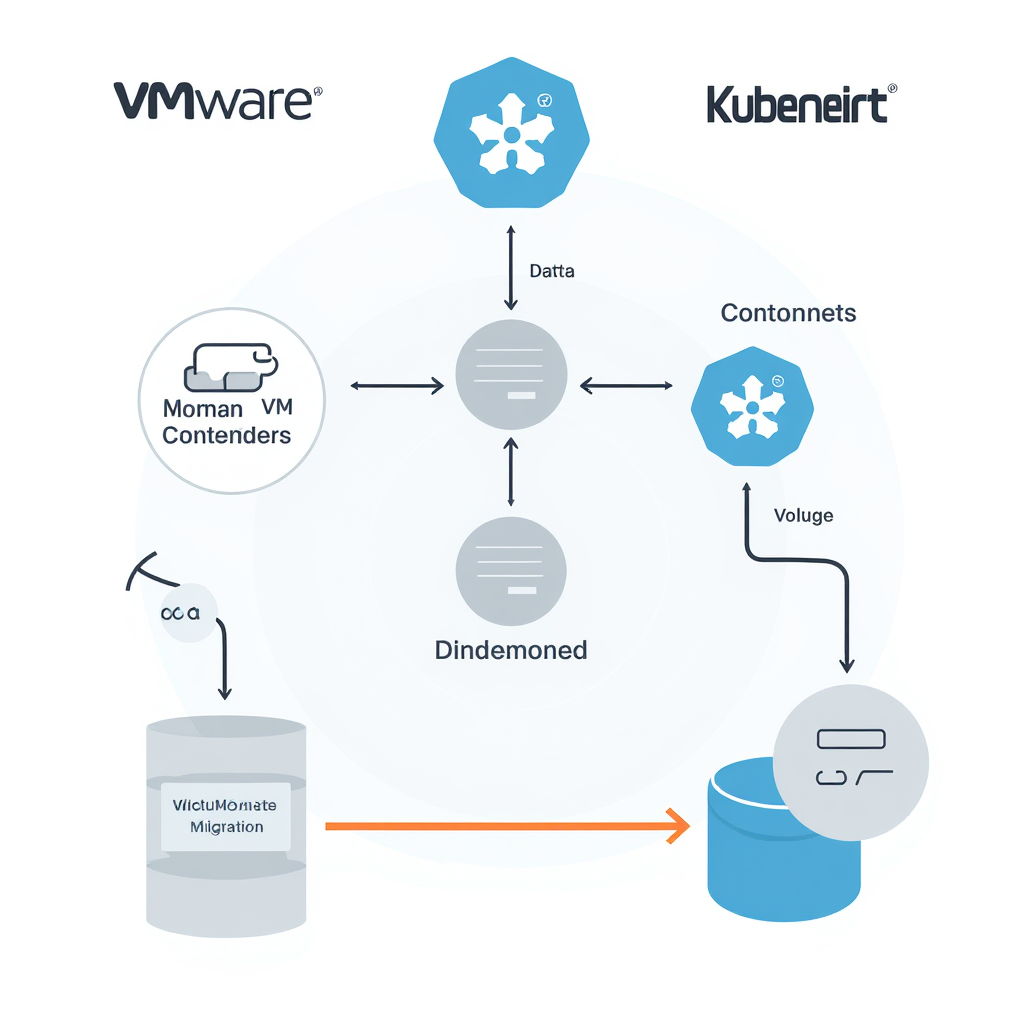
Broadcom‘s VMware pricing changes have pushed businesses to look for alternatives. The cost increases are steep enough that rebuilding on a new platform makes financial sense.
KubeVirt lets you run virtual machines on Kubernetes while keeping the operational capabilities you rely on from vSphere. The challenge is replicating the features VMware admins depend on daily—things like vMotion for zero-downtime migrations and DRS for automatic resource balancing.
This playbook walks through the practical steps for migrating VMs from VMware to Kubernetes using KubeVirt. We’ll cover operational mapping, migration tooling, phased implementation, staffing requirements, and rollback procedures.
The approach assumes you’re running a tech company with 50-500 employees and need to move 100-500 VMs without breaking production systems.
What Is KubeVirt and How Does It Enable VMs on Kubernetes?
KubeVirt is an open-source Kubernetes add-on that runs virtual machines alongside containers in the same cluster. It uses Custom Resource Definitions—VirtualMachine and VirtualMachineInstance—so you manage VMs through kubectl just like you manage pods.
Under the hood, KubeVirt uses QEMU/KVM for virtualisation with Kubernetes handling orchestration, scheduling, networking, and storage. This gives you operational parity with VMware through live migration, snapshots, and automated rebalancing.
The architecture has three core components. The virt-controller and virt-handler manage the VM lifecycle—the controller runs in the Kubernetes control plane while the handler runs as a DaemonSet on each node. The virt-launcher wraps each VM as a pod. Each running VM gets its own virt-launcher pod containing the QEMU process. And libvirtd and qemu provide the actual virtualisation layer.
VMs are defined in YAML using VirtualMachine and VirtualMachineInstance resources. Storage works through Persistent Volume Claims. VM disks are backed by PVCs using ReadWriteMany or RAW block-mode volumes. Block storage is needed for live migration because volumes can be passed between nodes if your storage supports multi-attachment. Networking uses Multus CNI for multiple interfaces, mapping directly to VMware port groups.
From a management perspective, you use kubectl for VM operations:
kubectl get vm                  # List VirtualMachine objects
virtctl start vm-name          # Start a VM
You can also use GitOps workflows—define VMs as YAML manifests in Git repositories and deploy automatically via ArgoCD or Flux.
Not every application can be easily containerised. Some are too complex, too risky, or too business-sensitive to justify rearchitecting. KubeVirt provides unified management for legacy application modernisation—migrate first, then modernise gradually as you gain confidence.
See also: AI Training and Inference Storage Performance Requirements Benchmarked and Kubernetes Storage for AI Workloads Hitting Infrastructure Limits.
How Does Enhanced Storage Migration Compare to VMware vMotion?
Enhanced Storage Migration is Portworx’s feature that replicates vMotion’s zero-downtime live migration for KubeVirt VMs. It moves running VMs between storage volumes without shutting them down.
The use case is straightforward. You need to move VM disks to different storage backends—retiring hardware, performance tiering, capacity rebalancing—without downtime. Enhanced Storage Migration handles this by using storage-layer replication to sync data while the VM continues running, then performs an automated cutover when sync completes.
One advantage over traditional vMotion: granular control to migrate individual VM disks rather than entire VMs. You can move specific disks based on workload needs—put database volumes on fast NVMe, move archive data to cheaper spinning disk.
Migration speed matters when you’re moving hundreds of VMs. Storage vendors like Pure Storage offer array-native optimisations that can further reduce migration times by handling data movement at the controller level, achieving 70-95% faster migrations for large VM disks.
The operational difference from vMotion is primarily in how you trigger and monitor migrations. Instead of clicking through vCenter, you’re using kubectl to modify PVC bindings or Portworx-specific custom resources. Monitoring happens through Prometheus metrics rather than vSphere performance charts.
See also: Enterprise Kubernetes Storage Vendor Ecosystem Evaluation Framework.
What Replaces VMware DRS for Automated Resource Balancing?
Automated Storage Rebalancing provides the DRS-equivalent functionality you need for storage resource optimisation. Portworx Autopilot continuously monitors datastore capacity, latency, and IOPS, then moves VM disks between datastores when thresholds are breached.
Static placement becomes problematic because utilisation and IO patterns drift over time. What looked like good distribution when you migrated last month becomes unbalanced as workloads change. Real-world applications often trigger thousands of storage operations even for migrations between two nodes, causing application slowdowns.
VMware DRS handles this by monitoring cluster resources and automatically moving VMs to balance load. Kubernetes has a scheduler that handles pod placement, including VMIs, but the native scheduler lacks fine-tuned VM-aware resource balancing. It makes initial placement decisions but doesn’t actively rebalance running workloads.
This is where Autopilot fills the gap. You define policy-driven rules that specify rebalancing triggers. Capacity thresholds trigger when storage pools hit 70-80% utilisation. Performance SLAs trigger when latency or IOPS fall outside acceptable ranges. Affinity rules ensure VMs with related workloads stay on specific pools.
When a policy triggers, Autopilot uses Enhanced Storage Migration to move VMs between pools without downtime. The built-in Kubernetes autoscalers—Horizontal Pod Autoscaler and Cluster Autoscaler—dynamically adjust resources for optimal performance, reducing VM sprawl and underutilisation. For storage capacity management specifically, DataCore Puls8 makes managing storage capacity straightforward so teams can focus attention elsewhere.
See also: Implementing High Performance Storage and Changed Block Tracking in Kubernetes.
How to Migrate VMware VMs to KubeVirt Using Forklift?
Forklift (Migration Toolkit for Virtualisation) automates large-scale VM migration from VMware to KubeVirt. It introduces a controller that reconciles custom resources to orchestrate the entire migration process.
Forklift uses six Kubernetes Custom Resources: Provider (vCenter and KubeVirt platforms), Host (ESXi hosts and K8s nodes), Storage map (datastores to storage classes), Network map (port groups to Multus networks), Plan (migration batch definition), and Migration (execution).
Under the hood, Forklift uses virt-v2v to convert VMs from VMware to KVM, removing VMware Guest Tools and installing VirtIO drivers. This is complex work. Forklift automates many aspects of the migration process, reducing manual effort and minimising risk of errors—converting VM formats, configuring network settings, handling storage requirements.
The migration process:
1. Connect to vCenter: Create a Provider resource. Forklift discovers your VM inventory.
2. Map resources: Create Storage and Network maps defining how VMware resources translate to Kubernetes.
3. Select VMs: Create a Plan specifying which VMs to migrate in this batch.
4. Execute: Create a Migration resource. Forklift converts and migrates VMs in parallel.
5. Validate: Check network connectivity, application functionality, and performance baselines.
The VM Migration Assistant provides a web-based UI handling up to 500 VMs per plan. A complete VMware-to-Kubernetes migration involves careful planning, maintaining multiple parallel environments, and configuring networking and ingress to ensure users aren’t disrupted. This needs to be done slowly and in a controlled manner, likely taking months or even years depending on the size of your workload.
Forklift is recommended for migrations exceeding 50 VMs. Below that, manual virt-v2v conversion works but requires custom scripting.
See also: Business Continuity and Disaster Recovery Strategies for Kubernetes Storage.
What Is the Recommended Phased Migration Strategy?
Break your migration into three phases to minimise risk:
Phase 1 – Pilot (2-4 weeks)
Start with 5-10 non-critical VMs—development or staging systems where downtime won’t impact production. The goal is validating your process, not moving workload. Iron out storage mapping, network configuration, and monitoring. Document every issue. Build runbooks based on what actually happens.
Phase 2 – Production Non-Critical (4-8 weeks)
Move remaining dev/test workloads and low-impact production systems. Refine automation, establish performance baselines, scale up batch sizes, and validate monitoring works correctly. Keep VMware running in parallel—dual-running gives you a safety net.
Phase 3 – Production Critical (4-12 weeks)
Migrate VMs that run your revenue-generating systems. Plan cutover windows carefully, communicate with stakeholders, and have clear rollback triggers.
For each VM or application tier, document:
- Validation checklist
- Performance baselines
- Rollback criteria
- Stakeholder communication plan
The total timeline assumes SMB scale (50-500 employees, 100-500 VMs). Adjust based on your specific environment. Incremental migration allows controlled smaller releases, making it easier to refactor and improve components along the way.
Validation gates before each phase: confirm operational features work (live migration, rebalancing, snapshots), validate performance meets baselines, and actually test rollback in Phase 1. Don’t wait for production to discover your rollback plan fails.
Break migrations into smaller phased waves based on workload criticality and interdependencies to reduce complexity and downtime risk. Use replication tools that allow incremental syncs so the final cutover involves minimal downtime. Migrate non-production environments first to iron out process flaws.
How to Implement Storage Rebalancing During Active Migrations?
Storage rebalancing during migrations prevents capacity bottlenecks by redistributing existing VMs as new VMs arrive. Without this, you risk filling pools unevenly and creating performance hotspots.
Configure Autopilot policies with conservative triggers—70-80% capacity thresholds—to avoid migration storms where too many VMs move simultaneously and overwhelm your network or storage controllers.
Stagger migration batches to allow rebalancing between waves. Don’t queue up 100 VMs and let them all migrate at once. Migrate 10-20, pause, let Autopilot rebalance if needed, then migrate the next batch.
Monitor pool IOPS and latency to detect performance degradation requiring rebalancing. Set up dashboards showing:
- Capacity trends per pool
- Migration progress
- Rebalancing activity
- Performance metrics (IOPS, latency)
Edge cases to handle:
Fast-filling pools: If a pool fills faster than expected, pause migrations to that pool and trigger manual rebalancing before continuing.
Rebalancing failures: Have a fallback to manual migration if automated rebalancing fails. Don’t let automation failures block your migration entirely.
Migration conflicts: If Autopilot tries to rebalance a VM that’s currently migrating, the operation should queue or skip that VM. Verify your storage platform handles this correctly.
After migration completes, run a final rebalancing pass to optimise VM distribution across your storage infrastructure based on actual usage patterns rather than migration arrival order.
Storage Performance Benchmarks Relevant to Migration
Azure Container Storage v2.0 delivers approximately 7 times higher IOPS and 4 times less latency compared to the previous version. If you’re running on Azure, this affects migration speed.
NVMe-over-Fabrics achieves latency in the range of 20-30 microseconds by avoiding SCSI command emulation layers. NVMe-oF benchmarks indicate up to 3-4x the IOPS per CPU core compared to iSCSI.
For large-scale migrations, MLPerf Storage v2.0 results show storage systems now support approximately twice the number of accelerators compared to v1.0 benchmarks. Properly architected distributed storage shows sustained 100% GPU core utilisation with only minor dips during initial data loading and checkpoint operations.
See also: FinOps and Cost Optimisation for AI Storage in Kubernetes Environments and Kubernetes Storage for AI Workloads Hitting Infrastructure Limits.
What Staffing and Skills Are Required for KubeVirt Migration?
You need a core team with specific roles:
1-2 Kubernetes engineers who understand cluster management, networking, and storage. They handle the KubeVirt infrastructure and integration with your existing Kubernetes platform.
1-2 VMware admins transitioning to KubeVirt. Your existing VMware knowledge provides a solid foundation for learning KubeVirt. Core principles—workload scheduling, resource allocation, networking, storage, high availability—remain familiar.
1 storage specialist who understands Portworx, Ceph, or whatever storage platform you’re using. They configure storage classes, PVCs, and rebalancing policies.
1 project manager to coordinate phases, track progress, and manage stakeholder communication.
VMware admins require 40-60 hours of training: Kubernetes fundamentals (pods, services, deployments, RBAC), KubeVirt VM management (VirtualMachine resources, virtctl commands), storage platform specifics (PVCs, storage classes), and troubleshooting (kubectl logs, event analysis).
Allow 4-8 weeks for skill transition before starting production migrations. Your team needs to be comfortable with kubectl and Kubernetes concepts before touching production VMs.
External consultants can accelerate pilot phase onboarding. Nearly 4 in 10 IT leaders cite lack of in-house expertise as the top barrier to migration. Supplement internal staff with short-term contractors or managed services to cover expertise gaps while building long-term resilience. External experts accelerate delivery while transferring knowledge.
The Cloud Native Computing Foundation offers Certified Kubernetes Administrator (CKA) and Certified Kubernetes Application Developer (CKAD) certifications as good ways to assess Kubernetes skills.
The operational shift requires new thinking: declarative YAML instead of clicking wizards, automation-first infrastructure-as-code, and cluster-aware resource management instead of centralised vCenter control. Kubernetes nodes are patched and upgraded via automated pipelines—Kured, Cluster API, RKE2, or manual drain and upgrade processes depending on your platform.
How to Create Effective Rollback Procedures for Failed Migrations?
Maintain dual-running environments until validation completes. This is your safety net.
Define clear rollback triggers:
- Performance degradation >20% compared to pre-migration baselines
- Application failures that can’t be resolved within your incident response window
- Integration breakage with external systems
- Excessive downtime during cutover
Rollback plan development is needed in case issues arise during transition. Each time functionality is rerouted to the new system, there should be a rollback plan so if the new service fails you can switch back quickly. Feature flags can be useful, allowing you to check a flag to decide which system to use for a given feature.
Rollback sequence: revert DNS/load balancers to VMware VMs, stop KubeVirt instances (don’t delete—you’ll need to investigate), validate VMware VMs handle traffic properly, and document the failure for later analysis.
Rollback should complete within 2-4 hours for non-critical workloads, less than 1 hour for systems with tight SLAs.
Before migrating any VM, verify that backups exist and are restorable. Effective portability planning includes developing robust data validation procedures and implementing rollback strategies that can quickly restore operations if migration issues arise. Shadow deployments allow new services deployed alongside existing services during early stages, enabling safe testing with production traffic mirrors.
For Phase 1, actually execute a rollback even if the migration succeeds. Validate that your rollback procedure works before you’re in a situation where you need it.
Define severity levels: Severity 1 (immediate rollback for application failure, data corruption, security breach), Severity 2 (planned rollback for >20% performance degradation or excessive troubleshooting), Severity 3 (continue with fixes for minor issues). For Severity 2, involve stakeholders before rolling back.
The cost of maintaining dual environments can be substantial. Budget for running both VMware and KubeVirt in parallel for 3-6 months. Once you’re confident in the migration, you can start decommissioning VMware infrastructure.
See also: Business Continuity and Disaster Recovery Strategies for Kubernetes Storage.
FAQ
What is the difference between cold and warm migration for VMs?
Cold migration requires full VM shutdown, disk conversion, and reboot on the target platform—hours of downtime. Warm migration replicates the VM disk while it’s running, then performs a brief cutover with minimal downtime, usually minutes. Forklift supports both approaches depending on your workload’s tolerance for downtime.
Can I migrate VMs without Forklift using manual processes?
You can use virt-v2v to manually convert VMware VMs, but you’ll need scripting to automate this at scale. VM Migration Assistant provides a manual orchestration alternative. Forklift is recommended for more than 50 VMs because of its automation, dependency mapping, and inventory management.
How long does live migration take for large VMs?
Migration duration depends on VM disk size, storage backend performance, and network bandwidth. Typical ranges: 100GB VM takes 10-20 minutes, 500GB VM takes 1-2 hours, 2TB VM takes 4-8 hours. Enhanced Storage Migration overlaps I/O sync with migration for minimal application impact.
What storage platforms support Enhanced Storage Migration?
Portworx provides native Enhanced Storage Migration for KubeVirt. Alternatives include Rook/Ceph with custom migration scripts, OpenEBS with volume migration tools, and cloud provider storage like AWS EBS or Azure Disk with snapshot-based approaches. Portworx offers the most mature vMotion-equivalent features.
How to handle VMs with VMware-specific tools like VMware Tools?
Remove VMware Tools before migration and install the QEMU guest agent for KubeVirt VMs. Forklift can automate VMware Tools uninstallation during conversion. The QEMU guest agent provides equivalent functionality—graceful shutdown, time synchronisation, and filesystem quiescing for snapshots.
What network changes are required when migrating to KubeVirt?
VMs retain IP addresses using Multus CNI with bridge networking. VLAN tagging and multiple network interfaces are supported. Load balancer and firewall rules require updates to point to the KubeVirt cluster. DNS updates occur during the cutover window. Network topology remains similar to VMware environments.
How to validate operational parity after migration?
Run through this test checklist: live migration execution, automated rebalancing triggers, snapshot creation and restore, VM cloning, network connectivity, storage performance baselines, backup and restore procedures, monitoring and alerting integration, disaster recovery workflows. Each should match pre-migration VMware capabilities.
What are the licensing costs for KubeVirt vs VMware?
KubeVirt is open-source with an Apache 2.0 licence—no fees. Costs shift to the storage platform (Portworx Enterprise starts around $1000 per node per year), Kubernetes support (optional), and migration tooling. Total cost is typically 40-60% lower than VMware vSphere Enterprise Plus over 3 years for SMB scale.
Can I run containers and VMs on the same Kubernetes cluster?
Yes, that’s KubeVirt’s primary benefit. Containers and VMs share cluster resources, networking, and storage. The Kubernetes scheduler handles both workload types. Resource quotas and namespaces provide isolation. This enables gradual VM-to-container modernisation after migration.
How to monitor KubeVirt VMs in production?
Use Prometheus for metrics collection—VM CPU, memory, disk I/O, network—and Grafana for dashboards. Alert manager handles notifications. KubeVirt exposes VM metrics via Prometheus endpoints. Third-party tools like Datadog Kubernetes integration, New Relic, and Elastic Stack work as well. Monitoring is similar to container workloads.
What happens to VM snapshots during migration?
Existing VMware snapshots aren’t transferred by Forklift. Take a final snapshot before migration for rollback, then migrate from the snapshot-free base disk. Recreate snapshot schedules after migration using the KubeVirt VirtualMachineSnapshot CRD or storage platform snapshots like Portworx VolumeSnapshotClass.
How to plan cutover windows for production migrations?
Schedule during lowest traffic periods—weekends, off-hours. Allocate 2-4x your estimated migration time for validation and rollback buffer. Warm migration reduces the cutover window to minutes. Communicate planned downtime to stakeholders. Pre-stage migrations with warm replication, then trigger cutover via Forklift when ready.
Wrapping Up
KubeVirt combined with Enhanced Storage Migration and Automated Rebalancing gives you operational parity with VMware. You get live migration without downtime, automated resource balancing based on real usage patterns, and the flexibility to run VMs alongside containers in a unified platform.
The phased approach with validation gates is what makes this migration work. Start with the pilot phase, learn from what breaks, document everything, and build confidence before touching production systems. Your team’s preparation and a solid rollback plan are what separate smooth migrations from disasters.
Budget for 3-6 months running both environments in parallel. Yes, it costs more in the short term. But dual-running gives you the safety net to validate everything works before you commit fully to the new platform.
If you’re still running VMware and the Broadcom pricing is hurting your budget, start with the pilot. Pick 5-10 VMs, work through the process, and see if KubeVirt fits your operational needs. The tooling is mature, the community is active, and the cost savings are real.