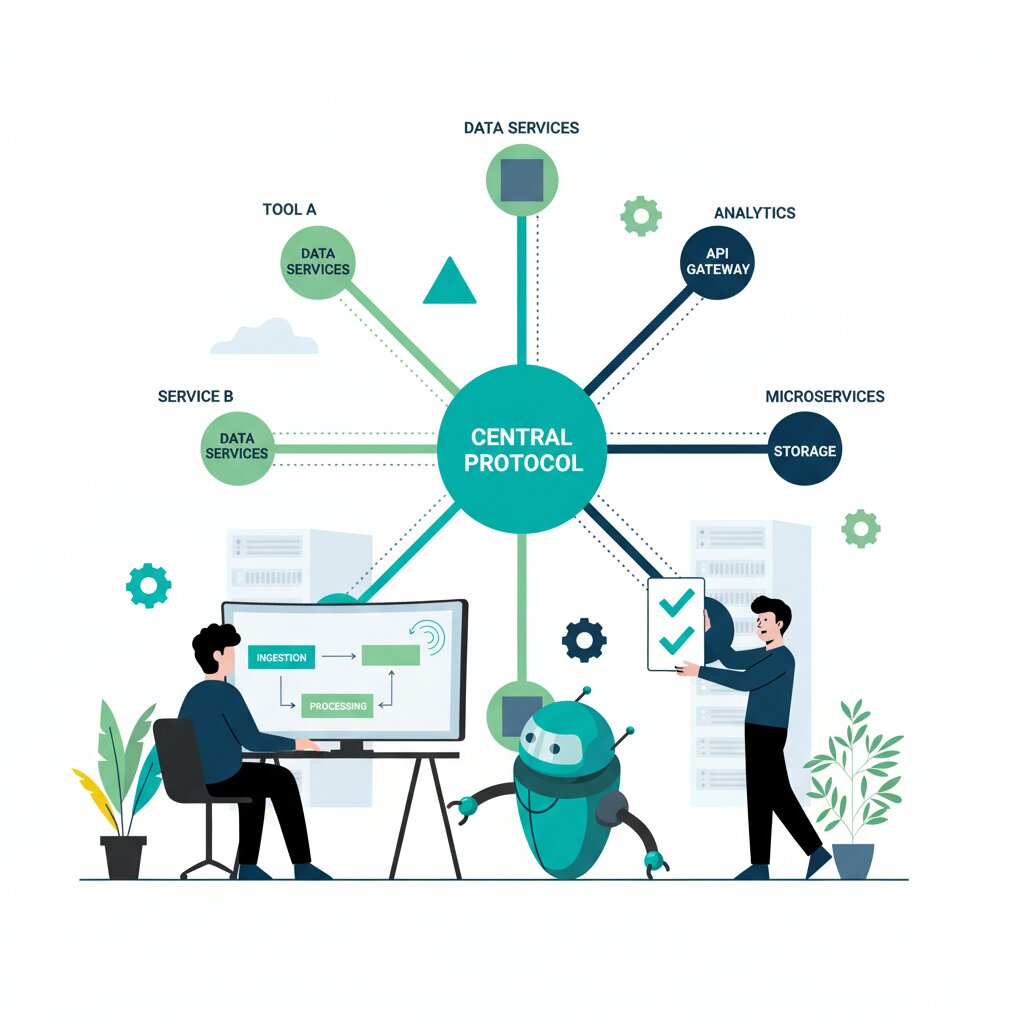
Understanding Model Context Protocol and How It Standardises AI Tool Integration
Connecting AI applications to your company’s data sources is a pain. Every new integration requires custom development work. Want to connect Claude to your database? That’s custom code. Adding Slack to ChatGPT? Another bespoke connector.
Now scale this across multiple AI platforms and dozens of tools. You’re facing exponential maintenance complexity.
This is the N×M integration problem. And the Model Context Protocol (MCP) emerged in November 2024 as the solution.
Think of MCP as USB-C for AI – a universal standard that eliminates proprietary cables. When Anthropic introduced MCP as an open-source protocol, OpenAI, Google, and Microsoft adopted it within six months.
This guide gives you a comprehensive foundation for understanding MCP and working out if it fits your AI strategy. You’ll get clarity on the architecture, the primitives that define what AI can do with connected systems, and when MCP makes sense – and when it doesn’t. We’ll also address MCP security considerations up front, given the April 2025 security discussions in the community.
What is the Model Context Protocol?
Model Context Protocol (MCP) is an open-source standard introduced by Anthropic in November 2024 that defines how AI applications connect to external systems, tools, and data sources. It uses a client-server architecture based on JSON-RPC 2.0. MCP provides a universal interface – standardised tool invocation, resource access, and prompt templates. This eliminates the need for custom integrations between every AI model and every data source, transforming an N×M integration problem into an N+M standardised approach.
Anthropic originally developed MCP internally for Claude. They released it as an open standard in November 2024 with no licensing costs. Think of it like the Language Server Protocol (LSP) for code editors – one standard that works everywhere rather than custom integrations for each platform.
Within six months, OpenAI, Google, and Microsoft adopted the protocol. OpenAI CEO Sam Altman announced in March 2025: “People love MCP and we are excited to add support across our products.” Competitors agreeing on a shared standard rather than fragmenting the market – that’s significant.
In February 2025, Anthropic donated MCP to the Agentic AI Foundation, a Linux Foundation project, ensuring vendor-neutral stewardship. For detailed analysis of major platform adoption of MCP, including the MCP Registry ecosystem, see our comprehensive ecosystem overview.
What problem does MCP solve?
MCP eliminates the N×M integration problem. Before MCP, connecting N AI applications to M data sources required N×M custom integrations. Each AI platform (ChatGPT, Claude, Gemini) needed separate connectors for every tool (Salesforce, Slack, databases). With 5 AI platforms and 20 tools, that’s 100 bespoke integrations to build and maintain. MCP reduces this to N+M: 5 platform clients plus 20 standardised servers. That’s a 75% reduction in integration overhead.
Here’s how it plays out. Your team uses AI assistants for customer support. You need access to your CRM, knowledge base, and ticketing system.
Pre-MCP, you’d build three custom integrations for your first AI platform. Then you decide to add a second platform. You build those three integrations again. Then your CRM updates its API. You update every AI platform integration. Security becomes inconsistent across integrations.
MCP collapses this exponential complexity into linear scaling. Build your CRM as an MCP server once, and it works with Claude, ChatGPT, Gemini, and any future platforms that support the protocol.
For a detailed comparison of how MCP stacks up against alternatives like custom REST APIs, OpenAI’s GPT Actions, and orchestration frameworks like LangChain, see our comprehensive comparison guide.
How does MCP’s architecture work?
MCP uses a three-component architecture: MCP Hosts (AI applications like Claude Desktop or ChatGPT), MCP Clients (connection managers within hosts), and MCP Servers (lightweight programs exposing tools, resources, and prompts). Communication uses JSON-RPC 2.0 protocol over transport layers – stdio for local performance and HTTP with Server-Sent Events for remote flexibility. Each client maintains a 1:1 connection with a server, while hosts coordinate multiple clients.
MCP Hosts are the AI applications you interact with. Claude Desktop, ChatGPT, VS Code, or Replit. The host manages conversations and coordinates external tool access.
MCP Clients are created by hosts for each server connection, using 1:1 mapping. The client handles JSON-RPC communication, manages connection state, and translates between the host’s internal representation and standardised MCP format.
MCP Servers expose specific capabilities. GitHub API access, PostgreSQL databases, your internal documentation. Servers define available tools, resources, and prompts. They handle authentication and execute requests.
JSON-RPC 2.0 was chosen for its lightweight, proven design. It’s the same protocol used in Language Server Protocol. It supports request/response patterns and asynchronous notifications.
For developers planning to build MCP servers, the practical implementation details are covered in our implementation getting started guide.
What are the three MCP primitives?
MCP servers expose three types of capabilities called primitives: Tools (executable functions AI can call, like creating GitHub issues or querying databases), Resources (data sources AI can read, like file contents or API responses), and Prompts (reusable interaction templates that guide AI behaviour). These primitives cover the complete spectrum of AI-to-system interaction: actions (tools), context (resources), and workflows (prompts).
Tools represent functions that perform actions. When your AI needs to create a Jira ticket, send a Slack message, or execute a database query, you expose that as a tool. A GitHub server might expose create_issue, create_pull_request, merge_pull_request, and add_comment. The AI decides which tools to invoke based on the user’s request.
Resources provide read-access to data without side effects. When your AI needs context – reading documentation, accessing customer records, retrieving configuration – resources supply that information without changing system state. A GitHub server might expose repository_readme, issue_details, pull_request_diff, and repository_structure.
Prompts are reusable templates that structure AI interactions with tools and resources. They encode best practices and workflows. A “code review workflow” prompt might instruct the AI to read the PR diff, check for security anti-patterns, verify test coverage, and format feedback in a standardised template. You can use variable substitution for specific contexts.
For advanced MCP features including MCP Tasks for long-running workflows and multi-agent architectures, see our advanced patterns guide.
What transport options does MCP support?
MCP supports two primary transport layers: stdio (standard input/output) for local servers running on the same machine as the host, and HTTP with Server-Sent Events (SSE) for remote servers. stdio optimises performance for development tools by eliminating network overhead, while HTTP enables centralised deployment, OAuth authentication, and remote access for production services.
stdio transport is the default for local development. Claude Desktop spawns a local process and communicates through standard input/output streams. You get optimal performance – no network latency, minimal overhead, no authentication complexity. It’s ideal for developer tools, CLI utilities, local file access, and prototyping.
HTTP with Server-Sent Events enables remote deployment. The server exposes an HTTP endpoint for multiple concurrent clients, centralised deployment, and web infrastructure integration. SSE provides server-to-client streaming for real-time updates. HTTP unlocks production patterns: containerised servers in Kubernetes, load-balanced services, OAuth-protected endpoints, and integration with API gateways and monitoring.
The trade-off is straightforward. stdio offers maximum performance and simplicity for local use. HTTP sacrifices performance for flexibility, scalability, and multi-user access. Many organisations use both – stdio for development, HTTP for production.
For detailed guidance on deploying MCP to production, including containerisation strategies and scaling patterns, see our production deployment guide.
How does MCP differ from alternatives?
Unlike traditional REST APIs that require custom implementation for each integration, MCP provides a standardised protocol with built-in capability negotiation and lifecycle management. Compared to AI frameworks like LangChain (orchestration layer) or OpenAI function calling (vendor-specific), MCP is vendor-neutral infrastructure that any AI platform can adopt. It’s complementary to frameworks rather than competitive. LangChain can use MCP servers as tools, and OpenAI supports both MCP and their proprietary function calling API.
MCP versus REST APIs: REST APIs are flexible but become burdensome at scale. Each API requires custom client code, manual documentation, and bespoke error handling. MCP standardises the protocol layer with built-in discovery and consistent lifecycle management. Custom REST APIs still make sense when you need precise performance control, serve non-AI clients, or build proprietary integration for competitive advantage.
MCP versus OpenAI’s GPT Actions: GPT Actions work within OpenAI’s ecosystem but don’t transfer to Claude, Gemini, or other platforms. MCP is vendor-neutral – build once, work everywhere. GPT Actions mean vendor lock-in. MCP enables provider switching or multi-provider support.
MCP versus LangChain: These are complementary, not competitive. LangChain is orchestration – memory, chains, agent loops. MCP is infrastructure – standardised connections. LangChain can consume MCP servers as plugins.
MCP’s unique value proposition: multi-vendor support reducing lock-in, 300+ pre-built servers accelerating development, and governance transparency through the Agentic AI Foundation.
For a comprehensive MCP vs LangChain decision framework with specific “when to use” guidance for each integration approach, see our detailed comparison analysis.
What is the MCP ecosystem and who has adopted it?
As of December 2025, MCP has achieved critical mass adoption with three major AI platforms: OpenAI (March 2025 Agents SDK and Responses API integration), Google DeepMind (April 2025 Gemini commitment), and Microsoft (March 2025 Copilot Studio support). The MCP Registry hosts 300+ community and official servers, covering integrations from AWS and Azure to GitHub, Slack, and enterprise systems. The Agentic AI Foundation provides vendor-neutral governance under Linux Foundation stewardship.
Anthropic led by example. Claude Desktop became the reference implementation. They released open-source servers for Google Drive, Slack, GitHub, and PostgreSQL.
The pivotal moment came in March 2025 when OpenAI adopted MCP despite having proprietary GPT Actions. Google DeepMind confirmed MCP support for Gemini in April 2025. Microsoft integrated MCP into Copilot Studio in March 2025. Big-three validation complete.
The MCP Registry hosts 300+ community-built servers covering popular services, enterprise tools, and domain-specific integrations. It includes security vetting badges and documentation quality signals.
The Agentic AI Foundation (a Linux Foundation project) ensures vendor-neutral governance. No single-vendor control.
For detailed analysis of platform adoption timelines, OpenAI and Google MCP support, and ecosystem dynamics, see our comprehensive platform ecosystem overview.
Is MCP secure for enterprise use?
MCP’s security architecture has evolved significantly since April 2025 community concerns about prompt injection and tool poisoning. The specification now requires OAuth 2.1 integration for remote servers with scope-based permissions, and introduces Client ID Metadata Documents (CIMD) for server-side client verification. Enterprise deployments implement least-privilege access, input validation, dependency auditing, and monitoring. The MCP Registry provides security vetting badges. But organisations should conduct internal security reviews before production deployment.
In April 2025, security researchers identified prompt injection and tool poisoning vulnerabilities. They demonstrated how malicious servers could override AI behaviour. That raised legitimate enterprise concerns.
The community responded promptly. Mandatory OAuth for remote servers. Client ID Metadata Documents (CIMD) for server-side client verification. Expanded security best practices documentation.
OAuth 2.1 provides industry-standard authorisation with scope-based permissions. Servers can grant read-only access to some clients, read-write to others. Consent screens ensure users understand access grants.
CIMD enables server-side verification. Servers publish metadata about supported clients, trust levels, and policies. Then they verify connecting client identity and enforce appropriate access controls.
Enterprise security checklist: code review of servers, dependency scanning, scope limitation, audit logging, network isolation, and monitoring.
Registry security vetting helps but isn’t sufficient. Treat MCP servers like third-party software. Audit code, assess maintainer track record, monitor updates.
For comprehensive coverage of OAuth and CIMD explained, including enterprise security checklists and implementation guides, see our detailed security architecture guide.
When should you adopt MCP?
Adopt MCP when you’re building multi-model AI strategies (avoiding vendor lock-in), implementing agentic AI requiring multiple tool integrations, or maintaining numerous custom connectors across AI platforms. MCP is ideal for organisations prioritising ecosystem participation and future-proofing their AI infrastructure. Consider waiting if you have extreme latency requirements (real-time trading systems), simple single-model deployments, or proprietary integrations providing competitive advantage that standardisation would eliminate.
Ideal use cases: multi-model strategies (support Claude, ChatGPT, Gemini without rebuilding integrations), agentic AI workflows (agents needing dozens of tools), ecosystem participation, and reducing integration maintenance burden.
Strong signals: multiple AI platforms in use or planned, five or more custom integrations, developer productivity drain from bespoke connectors, vendor lock-in concerns. If you’re spending 40+ developer hours monthly maintaining cross-platform implementations, MCP typically pays back migration cost within 6-9 months.
Warning signs: single model deployment with no alternatives planned, simple integrations (one or two tools), extreme latency requirements (sub-10ms for high-frequency trading), or proprietary integration providing competitive differentiation.
Timing: MCP has achieved critical mass. OpenAI, Google, Microsoft support provides confidence. The 300+ server registry means existing implementations likely exist. Agentic AI Foundation governance signals long-term stability.
Phased adoption: Start with non-critical integrations. Run MCP servers parallel with existing integrations during transition. Migrate incrementally, not big-bang.
For detailed MCP ROI analysis, migration planning from custom APIs, LangChain, and GPT Actions, and business case for MCP adoption, see our comprehensive ROI and migration guide.
How do you get started with MCP implementation?
Begin by auditing your current AI integrations to identify migration candidates. Then choose whether to build custom MCP servers (using TypeScript, Python, or Java SDKs) or adopt existing servers from the MCP Registry. Start with a non-critical integration. Implement OAuth if accessing sensitive data. Test using MCP Inspector. Deploy locally (stdio) before considering remote deployment.
Step 1: Audit integrations. List every connection between AI apps and data sources. Document which AI platforms use each, maintenance cost, security sensitivity, and criticality.
Step 2: Prioritise candidates. High-priority: integrations consuming 8+ developer hours monthly, supporting 2+ AI platforms, or good learning opportunities.
Step 3: Build versus adopt. Check MCP Registry first. Existing servers accelerate deployment but require trusting community code. Building gives control but requires effort.
Step 4: Development (if building): Select SDK (TypeScript/Python most mature), build Hello World server, implement primitives, add OAuth for remote deployment, test with MCP Inspector, deploy locally first.
Step 5: Deployment. Start with local stdio for development. Deploy to remote HTTP for production. Set up monitoring day one – track invocations, errors, latency, usage.
Timeline: simple read-only server 2-4 hours, complex server with OAuth 1-2 days, enterprise integrations weeks.
For hands-on tutorials with complete code examples, testing workflows, and OAuth implementation, see building your first MCP server.
For production deployment patterns, observability setup, and scaling strategies, see our deployment and operations guide.
What are common MCP implementation challenges?
Common challenges include OAuth configuration complexity (scope design, token management), debugging JSON-RPC communication failures, balancing local vs remote deployment trade-offs, managing server lifecycle across multiple hosts (Claude, ChatGPT, Gemini), and optimising performance for latency-sensitive applications. Most issues arise from insufficient testing with MCP Inspector, unclear security requirements, or attempting complex architectures before mastering fundamentals.
OAuth complexity is the most frequent stumbling block. Scopes too broad violate least-privilege. Too narrow breaks functionality. Use established libraries – Authlib for Python, Passport.js for Node – rather than implementing from scratch.
Connection debugging: JSON-RPC error messages can be cryptic. MCP Inspector is essential. Test every tool manually before AI host integration. It catches 80% of issues in minutes.
Deployment decisions: stdio offers maximum performance but limits accessibility. HTTP enables distributed teams but adds latency and DevOps requirements. Your choice depends on security, performance, and operational maturity.
Performance optimisation: MCP adds abstraction. JSON-RPC serialisation, protocol overhead, reasoning time. Overhead is negligible for most applications (milliseconds). But unacceptable for high-frequency operations.
Mitigation: comprehensive MCP Inspector testing, security checklists, monitoring and alerting, incident response procedures. Master fundamentals before complex architectures.
For security deep-dive including OAuth setup and CIMD implementation, see our enterprise security architecture guide. For production operational concerns including monitoring and debugging, see our deploying MCP to production guide.
Resource Hub: Model Context Protocol Library
Understanding MCP Foundations
Start here if you’re new to MCP or evaluating whether it fits your use case.
Understanding Model Context Protocol and How It Standardises AI Tool Integration (this guide): Comprehensive foundation covering architecture, primitives, transport options, and decision frameworks.
How Major AI Platforms Adopted Model Context Protocol and What It Means for Standardisation: Ecosystem analysis covering OpenAI, Google, Microsoft adoption timelines, MCP Registry growth, and governance implications.
Evaluating MCP for Your Organisation
Decision frameworks, security analysis, and business case development for adoption planning.
Model Context Protocol Security Architecture from OAuth to Client Identity Verification: Comprehensive security guide covering OAuth 2.1 implementation, Client ID Metadata Documents (CIMD), enterprise security checklists, and the April 2025 incident response.
Comparing Model Context Protocol with LangChain Custom APIs and Alternative Integration Approaches: Decision framework comparing MCP to LangChain, GPT Actions, REST APIs, and GraphQL with “when to use” guidance for each approach.
Calculating Model Context Protocol ROI and Planning Migration from Existing Integration Architectures: Business case development, TCO analysis, and scenario-specific migration playbooks for custom APIs, LangChain, and GPT Actions.
Implementing and Operating MCP
Hands-on guides for building, deploying, and scaling MCP servers in production.
Building Model Context Protocol Servers from Development to Testing: Hands-on tutorial covering server development with TypeScript and Python SDKs, testing with MCP Inspector, OAuth implementation, and registry submission.
Advanced Model Context Protocol Patterns for Agentic AI and Multi-Tool Workflows: Advanced patterns including MCP Tasks for long-running operations, multi-agent architectures, context engineering, and performance optimisation.
Deploying and Operating Model Context Protocol Servers in Production Environments: Production deployment guide covering transport selection (stdio vs HTTP), observability and monitoring, debugging workflows, lifecycle management, and scaling strategies.
FAQ Section
What does MCP stand for?
MCP stands for Model Context Protocol. It’s a standard protocol for connecting AI models to external tools and data sources. Think of it like USB-C standardising device connections.
Is MCP free to use?
Yes. MCP is open-source software with no licensing costs. The specification is publicly available, and SDKs for TypeScript, Python, Java, and other languages are free. But you’ll still have implementation and operational costs – developer time, infrastructure, maintenance. Factor those into ROI calculations.
Can I use MCP with any AI model?
MCP works with AI platforms that support it as hosts. As of December 2025, confirmed support includes Anthropic Claude (Desktop and Code), OpenAI ChatGPT (Desktop, Agents SDK, Responses API), Google Gemini (API integration), and Microsoft Copilot Studio.
How long does it take to implement MCP?
A basic MCP server typically takes 2-4 hours to build using official SDKs. Complex servers with OAuth and multiple tools could take 1-2 days. Enterprise migrations involving multiple integrations typically span 2-6 months depending on complexity.
Is MCP production-ready?
Yes. Major enterprises use MCP in production as of December 2025. OpenAI, Google, and Microsoft platform integrations support this. But you should still conduct security reviews (especially OAuth configuration and input validation), implement comprehensive testing, and follow production best practices.
What programming languages support MCP?
Official Anthropic SDKs exist for TypeScript and Python. Community SDKs cover Java, Kotlin, Go, PHP, Ruby, Rust, and Swift. TypeScript and Python are most mature with comprehensive examples and documentation.
How does MCP compare to LangChain?
MCP and LangChain are complementary, not competitive. MCP is infrastructure – standardised tool connections. LangChain is an application framework – orchestration, memory, chains. Many organisations use both. LangChain for application logic, MCP servers as standardised tools. LangChain has an MCP adapter enabling MCP servers to function as LangChain tools.
What happened in April 2025 with MCP security?
In April 2025, security researchers identified prompt injection and tool poisoning vulnerabilities in early MCP implementations. The community responded by adding OAuth extensions and Client ID Metadata Documents (CIMD) to the specification. They established registry security vetting and developed enterprise security best practices.
Conclusion
The Model Context Protocol represents infrastructure enabling the next generation of AI applications. By transforming the N×M integration problem into N+M standardisation, MCP eliminates AI-tool integration fragmentation. Multi-vendor adoption from OpenAI, Google, and Microsoft validates genuine market need.
For organisations evaluating MCP, the decision framework is straightforward. If you’re supporting multiple AI platforms, maintaining numerous custom integrations, or concerned about vendor lock-in, MCP delivers clear benefits. Reduced maintenance burden, faster deployment, and platform flexibility.
The April 2025 security concerns were legitimate. But the community response – OAuth integration, CIMD specification, security vetting – demonstrates healthy governance. Organisations deploying MCP should implement OAuth for remote servers, least-privilege access, comprehensive monitoring, and regular security reviews.
Implementation is accessible for teams with API development experience. The TypeScript and Python SDK ecosystem provides solid foundations. Start with non-critical integration. Validate with MCP Inspector. Deploy locally first. Then scale to production.
The ecosystem is maturing rapidly. The 300+ server registry means you can often adopt existing implementations. Agentic AI Foundation governance provides long-term viability confidence. Platform diversity – Claude, ChatGPT, Gemini, VS Code, Replit – demonstrates broad support.
Three major AI platforms adopting a standard within six months is unusual in enterprise technology. Network effects work in MCP’s favour. Each new server adds ecosystem value. Each new platform increases building ROI.
Your next steps depend on your current state. Evaluating for the first time? Check our platform ecosystem analysis. Concerned about security? Read our enterprise security architecture guide. Ready to implement? Start with our building your first MCP server tutorial. Need to compare alternatives? Use our MCP vs LangChain decision framework. Building business case? Use our MCP ROI analysis framework.
The resources in this hub provide depth for informed decision-making and implementation. MCP represents standardisation over fragmentation, openness over lock-in, and ecosystem participation over proprietary advantage.